
How to share wedding photos with all the guests, without 40 WhatsApp groups
By Bhartendra · 18 Oct 2026 · 3 min read
An Indian wedding has 300 to 1,000 guests, and almost every one of them wants their photos. The usual result is a dozen WhatsApp groups, compressed forwards, and relatives asking the studio for "just my photos" for months.
There are four realistic ways to share photos with every guest. The right one depends on how many guests there are and how much work you want after the wedding.
The short answer
For a small function, a shared Google Photos album or Drive folder is fine. For a full Indian wedding, use one gallery link or QR code where each guest takes a selfie and sees only the photos they are in. It is the only option that scales to hundreds of guests without someone sorting photos by hand.
Option 1: WhatsApp groups
- How it works: someone forwards photos into family groups.
- Good for: a handful of photos on the day itself.
- Problems: WhatsApp compresses photos, groups get split by family side, and photos get lost in chat. Nobody receives a complete set. If you must use WhatsApp, read how to send full-quality photos on WhatsApp.
Option 2: a shared Google Photos album or Drive folder
- How it works: one link to the whole set.
- Good for: small events and close family.
- Problems: every guest scrolls thousands of photos to find their own. Large folders download as zip files that phones struggle with. The studio's name appears nowhere.
Option 3: separate folders per family or side
- How it works: the studio or a relative sorts photos into folders such as "Bride's side" and "Groom's friends".
- Good for: weddings with a few clear groups.
- Problems: sorting thousands of photos by hand takes days, and many photos belong in several folders at once.
Option 4: a face search gallery
- How it works: one link or QR for the whole wedding. Each guest takes a selfie, and the gallery shows only the photos they appear in. The couple and family get the full gallery with a passcode.
- Good for: any wedding with more than a few dozen guests.
- Problems: it costs a subscription or a per-event fee, and guests need to agree to face search. Good galleries make this opt-in and let guests skip it.
Face search galleries also work during the wedding, so guests can see Haldi photos before the Sangeet starts.
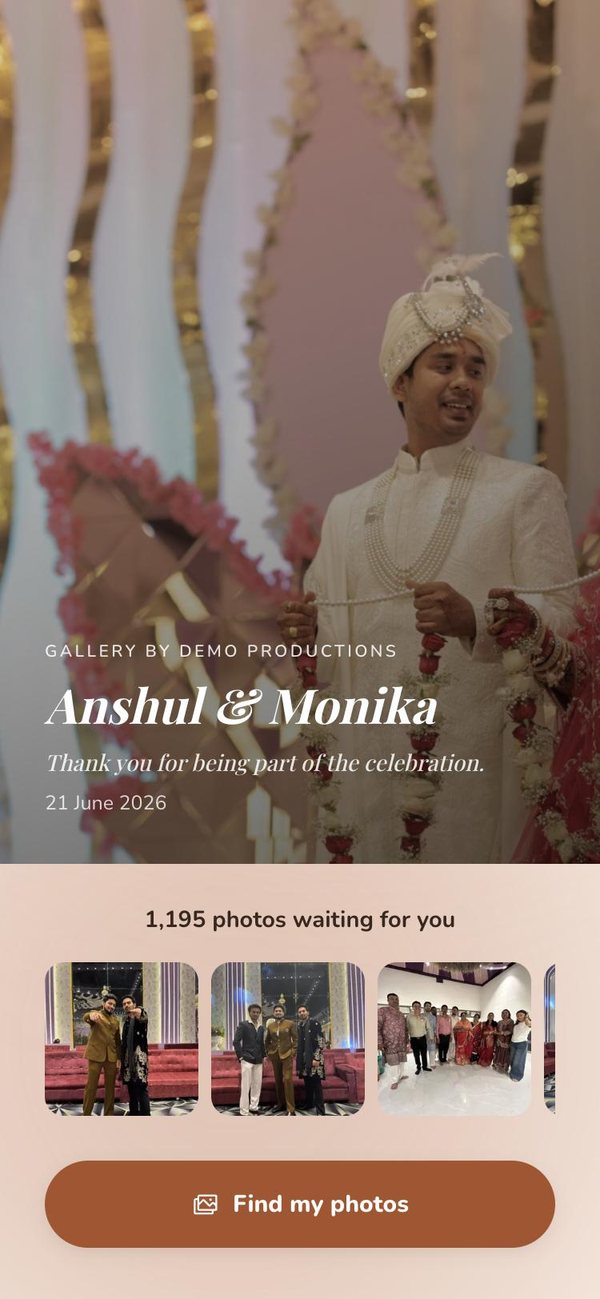
Which option fits your wedding
| Guests | Best option |
|---|---|
| Under 50 | Shared album or folder |
| 50 to 200 | Folders by family, or a face search gallery |
| 200 and above | Face search gallery with one QR code |
How to roll it out on the day
- Print the gallery QR on a standee at the entrance and near the stage.
- Send the link to the family WhatsApp groups once, with one line: "Scan, take a selfie, see your photos."
- Upload a batch after each function so guests have a reason to come back.
- Share the passcode only with the couple and close family.
See QR code for wedding photos for what to print and where to place it.
Frequently asked questions
What is the easiest way to share wedding photos with all guests?
One gallery link or QR code with face search. Each guest takes a selfie and sees only their own photos, so nobody sorts or forwards anything by hand.
Do guests need to download an app?
Not with most face search galleries. The gallery opens in the phone's browser from the link or QR code.
Is face search safe for guests?
It should be opt-in. Guests agree before taking a selfie and can skip it. The full gallery should open only with a passcode held by the family.
Can guests see photos they are not in?
In a face search gallery, guests see the photos they are in. The full gallery is for the couple and family with the passcode.
Deliver your next wedding on Vyavasth.
More guides
- AI face search for wedding photos: 8 things to check before you pay
A practical checklist for Indian studios choosing an AI face search photo sharing app: accuracy, live delivery, privacy, photo quality, branding and real cost.
- Is AI face search safe for wedding guests? Privacy and India's DPDP Act
What happens to a guest's selfie, what India's DPDP Act asks of studios and apps, and the privacy settings a family should expect from a face search gallery.
- QR code for wedding photos: how it works and where to put it
How a wedding photo QR code works, what to print on it, where to place it at an Indian wedding venue, and the mistakes that stop guests from scanning.