
QR code for wedding photos: how it works and where to put it
By Bhartendra · 18 Oct 2026 · 3 min read
A QR code for wedding photos lets every guest open the photo gallery by pointing their phone camera at it. No app, no typing a link, no asking the photographer. Done well, most guests at an Indian wedding will scan it at least once. Done badly, it sits on a table and nobody notices.
How it works
- The studio creates the wedding gallery and gets its link.
- The link is turned into a QR code and printed.
- A guest scans it with the phone camera and the gallery opens in the browser.
- With a face search gallery, the guest takes a selfie and sees only the photos they are in. Learn more about face search galleries.
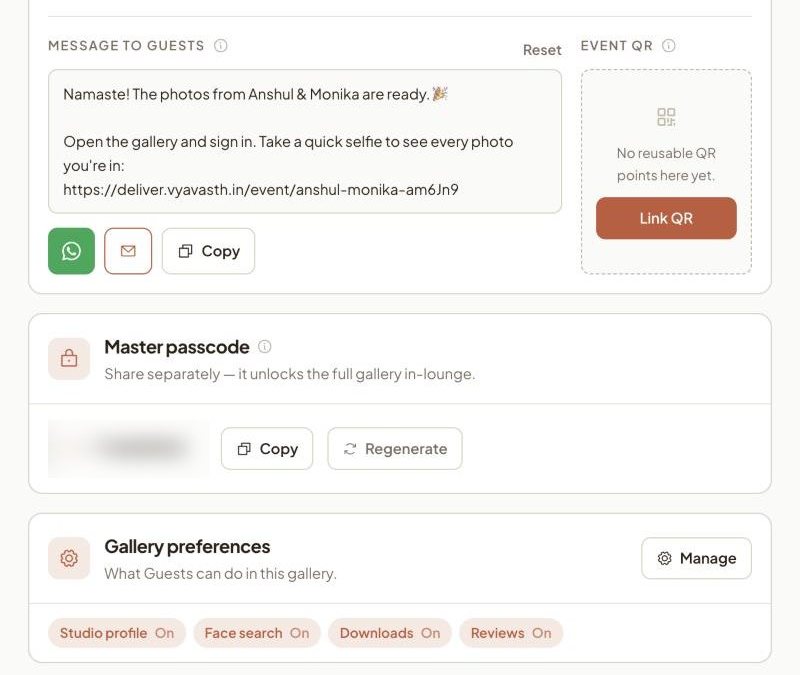
Use one QR for every wedding
If the QR points to a fixed gallery, you need a new print for every event. A better setup is one branded QR for the studio that you point at whichever wedding is live. You print the standee once and reuse it all season.
What to print with the QR
The QR alone does not tell guests why to scan. Add three short lines:
- What they get: "Your photos from today, on your phone"
- What to do: "Scan, take a selfie, see every photo you are in"
- Who it is from: the studio's name and logo
Keep the QR at least 8 to 10 cm wide on a standee so it scans from a step away, with plenty of plain space around it.
Where to place it at an Indian wedding
| Spot | Why it works |
|---|---|
| Entrance standee | Every guest passes it |
| Near the stage | Guests wait in line for photos with the couple |
| Food counters | Guests stand and wait with phones in hand |
| Invitation or e-invite | Guests know about it before they arrive |
| Family WhatsApp groups | Reaches relatives who could not attend |
Common mistakes
- QR too small or on a busy background. Phones fail to read it and guests give up.
- No explanation. A bare QR looks like a payment code.
- No photos yet. If guests scan before anything is uploaded, they leave and do not come back. Upload the first batch after the first function.
- A link that expires. Make sure the gallery stays live for months, so relatives can return.
Frequently asked questions
Do guests need an app to scan a wedding photo QR code?
No. Most phones scan QR codes with the normal camera, and the gallery opens in the browser.
Can one QR code be used for every wedding?
Yes, if your gallery tool supports a reusable QR that you point at the current event. You print it once and use it all season.
Where should the QR code be placed at the venue?
At the entrance, near the stage, and at food counters, where guests stand and wait with their phones. Also add it to the invitation or e-invite.
What should be written next to the QR code?
What guests get, what to do, and who it is from. For example: "Your photos from today. Scan, take a selfie, see every photo you are in", with the studio's name.
Deliver your next wedding on Vyavasth.
More guides
- AI face search for wedding photos: 8 things to check before you pay
A practical checklist for Indian studios choosing an AI face search photo sharing app: accuracy, live delivery, privacy, photo quality, branding and real cost.
- Is AI face search safe for wedding guests? Privacy and India's DPDP Act
What happens to a guest's selfie, what India's DPDP Act asks of studios and apps, and the privacy settings a family should expect from a face search gallery.
- How to share wedding photos with all the guests, without 40 WhatsApp groups
Four ways to share wedding photos with hundreds of guests, from WhatsApp groups to face search galleries, and which one works for an Indian wedding.